Lweb
Sometimes you may be interested in processing data which is available in the form of a website consisting of multiple webpages (for example an e-shop with one page per item or a discussion forum with pages of individual users and individual discussion topics).
In this lecture, we will extract information from such a website using Python and existing Python libraries. We will store the results in an SQLite database. These results will be analyzed further in the following lectures.
Scraping webpages
In Python, the simplest tool for downloading webpages is
requests package:
import requests
r = requests.get("http://en.wikipedia.org")
print(r.text[:10])
Parsing webpages
When you download one page from a website, it is in HTML format and you
need to extract useful information from it. We will use beautifulsoup4
library for parsing HTML.
Parsing a webpage:
import requests
from bs4 import BeautifulSoup

text = requests.get("http://en.wikipedia.org").text

parsed = BeautifulSoup(text, 'html.parser')
Variable parsed now contains a tree of HTML elements. Since the task
in our homework is to obtain user comments, we need to find an
appropriate element with user comments in the HTML tree.
Exploring structure of HTML document
- Information you need to extract is located within the structure of the HTML document.
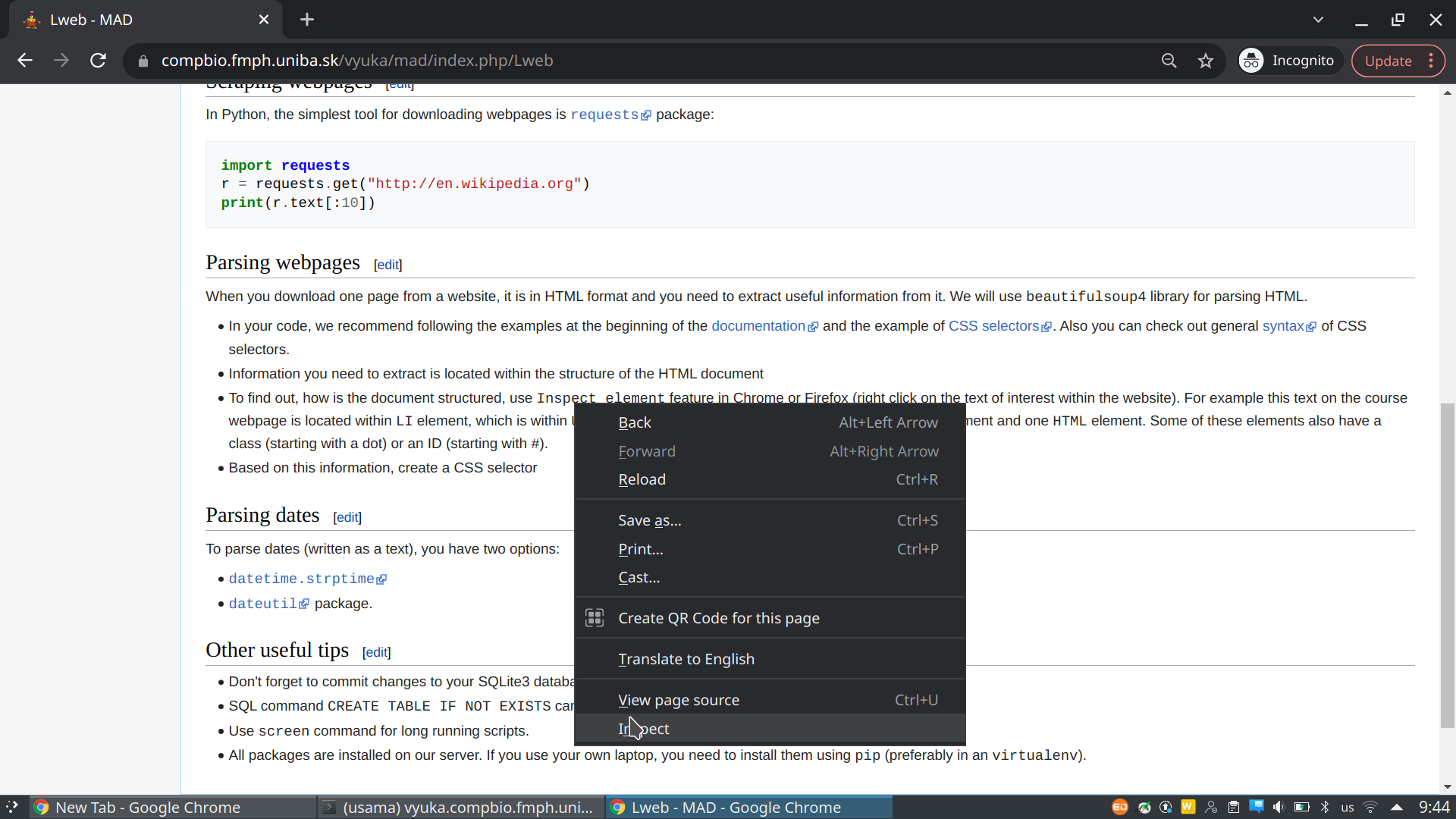
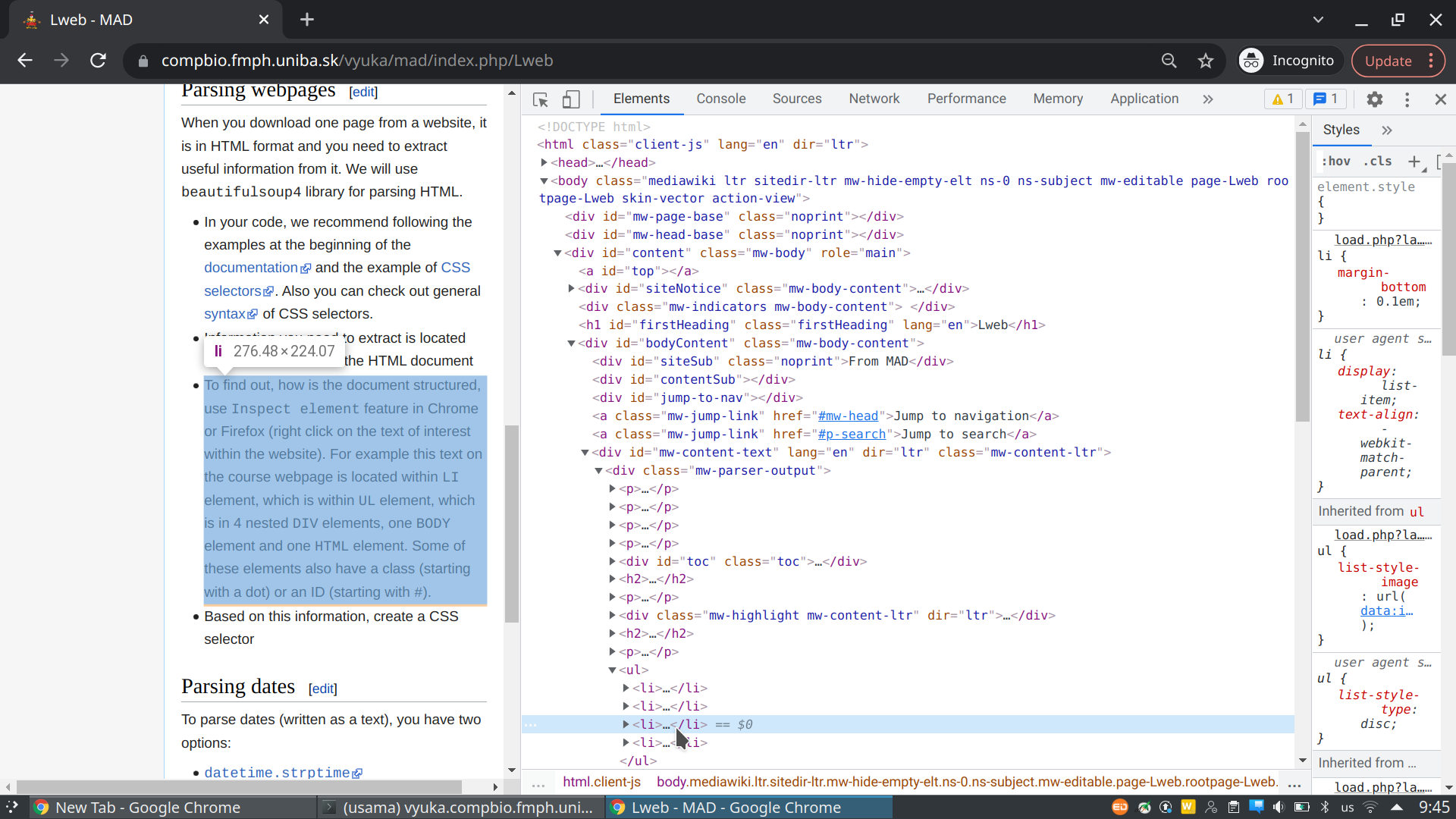
- To find out, how is the document structured, use
Inspect elementfeature in Chrome or Firefox (right click on the text of interest within the website). For example this text on the course webpage is located withinLIelement, which is withinULelement, which is in 4 nestedDIVelements, oneBODYelement and oneHTMLelement. Some of these elements also have a class (starting with a dot) or an ID (starting with#).
Extracting elements of interest from HTML tree
- Once we know which HTML elements we need, we can select them from
the HTML tree stored in
parsedvariable usingselectmethod. - Here we show several examples of finding elements of interest and extracting data from them.
To select all nodes with tag <a> you might use:
>>> links = parsed.select('a')
>>> links[1]
<a class="mw-jump-link" href="#mw-head">Jump to navigation</a>
Getting inner text from the element is done by:
>>> links[1].string
'Jump to navigation'
To select an <li> element and traverse its children, you can use the
following code. Also note difference between attributes string and
text (text contains text from all descendants):
>>> li = parsed.select('li')
>>> li[10]
<li><a href="/wiki/Fearless_(Taylor_Swift_album)" title="Fearless (Taylor Swift album)"><i>Fearless</i> (Taylor Swift album)</a></li>
>>> for ch in li[10].children:
...   print(ch.name)
...
a
>>> ch.string
>>> ch.text
'Fearless (Taylor Swift album)'
Here are examples of more complicated selection of HTML elements.
parsed.select('li i')  # tag inside a tag (not direct descendant), returns inner tag
parsed.select('li > i')  # tag inside a tag (direct descendant), returns inner tag
parsed.select('li > i')[0].parent  # gets the parent tag
parsed.select('.interlanguage-link-target') # select anything with class = "..." attribute
parsed.select('a.interlanguage-link-target') # select <a> tag with class = "..." attribute
parsed.select('li .interlanguage-link-target') # select <li> tag followed by anything with class = "..." attribute
parsed.select('#top') # select anything with id="top"
- In your code, we recommend following the examples at the beginning of the documentation and the example of CSS selectors. Also you can check out general syntax of CSS selectors.
Parsing dates
To parse dates (written as a text), you have two options:
>>> import datetime
>>> datetime_str = '9.10.18 13:55:26'
>>> datetime.datetime.strptime(datetime_str, '%d.%m.%y %H:%M:%S')
datetime.datetime(2018, 10, 9, 13, 55, 26)
dateutilpackage. Beware that default setting prefers “month.day.year” format. This can be fixed withdayfirstflag.
>>> import dateutil.parser
>>> dateutil.parser.parse('2012-01-02 15:20:30')
datetime.datetime(2012, 1, 2, 15, 20, 30)
>>> dateutil.parser.parse('02.01.2012 15:20:30')
datetime.datetime(2012, 2, 1, 15, 20, 30)
>>> dateutil.parser.parse('02.01.2012 15:20:30', dayfirst=True)
datetime.datetime(2012, 1, 2, 15, 20, 30)
Other useful tips
- Don’t forget to commit changes to your SQLite3 database (call
db.commit()). - SQL command
CREATE TABLE IF NOT EXISTScan be useful at the start of your script. - Use
screencommand for long-running scripts. It will keep your script running, even if you close the ssh connection (or it drops due to bad wifi).- To get out of
screenuseCtrl+Aand then pressD. - To get back in write
screen -r. - More details in a separate tutorial.
- To get out of
- All packages are installed on our server. If you use your own
laptop, you need to install them using
pip(preferably in anvirtualenv).